There’s a distinct art to ambiently sharing your music taste without spamming screenshots or posting 24-hour stories. It’s what made the retro status icons of MSN and Yahoo! Messenger legendary, and it’s why Discord’s live Spotify rich presence is so widely loved today.
But what if you could take that same seamless, automated energy and bring it everywhere?
That’s exactly where WhatsPlaying shines. Built for Android, WhatsPlaying bridges that experience straight into your WhatsApp profile, not just for Spotify, but across virtually any audio or video app on your phone. Whether you’re diving into YouTube Music, queuing local files, streaming on Plexamp, or bouncing between podcasts on Amazon Music, WhatsPlaying keeps your status in sync effortlessly.
What Does WhatsPlaying Do?
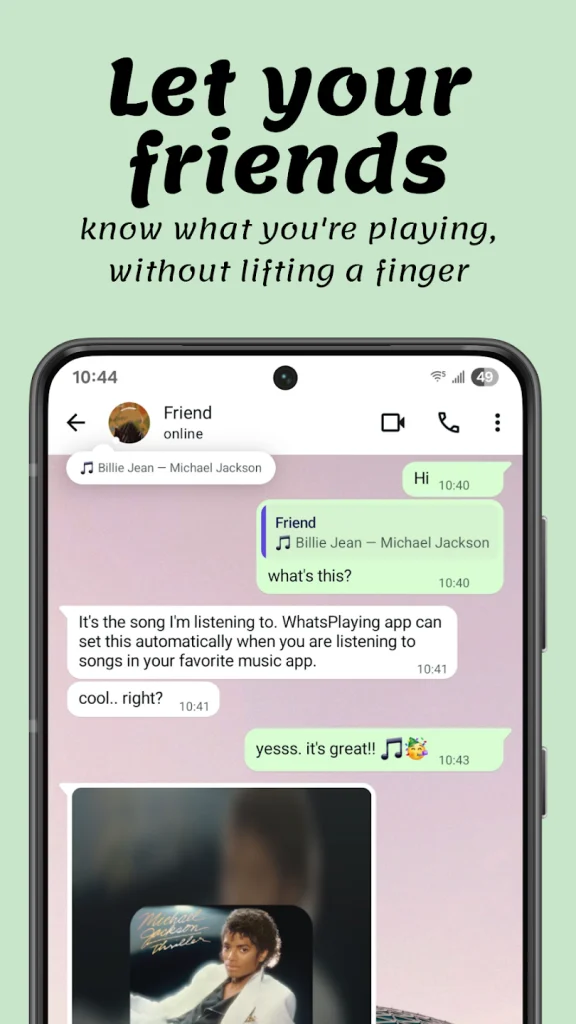
At its core, WhatsPlaying bridges the gap between your Android media players and your WhatsApp account. Whenever you stream music or watch a video on your device, the app picks up the active track and automatically updates your WhatsApp “About” field with the song title and artist.
Caption: WhatsPlaying automatically synchronizing live playback to WhatsApp About status.
The moment you pause or disconnect, it smoothly clears your status back to idle. No copy-pasting, no third-party bots messaging your chats, and zero manual maintenance.
Key Features & Highlights
Universal Player Compatibility: Unlike tools that depend on brittle per-service APIs or developer tokens, WhatsPlaying listens to standard Android media notifications. If an app displays playback controls on your lock screen, WhatsPlaying detects it. It supports Spotify, YouTube, YouTube Music, Plexamp, Amazon Music, Tidal, Pocket Casts, and virtually any standard player.
Per-App Source Filtering: You keep total control over your visibility. If you want your Spotify playlists showcased but prefer keeping YouTube videos or personal podcast queues private, you can toggle individual apps on or off with a single tap.
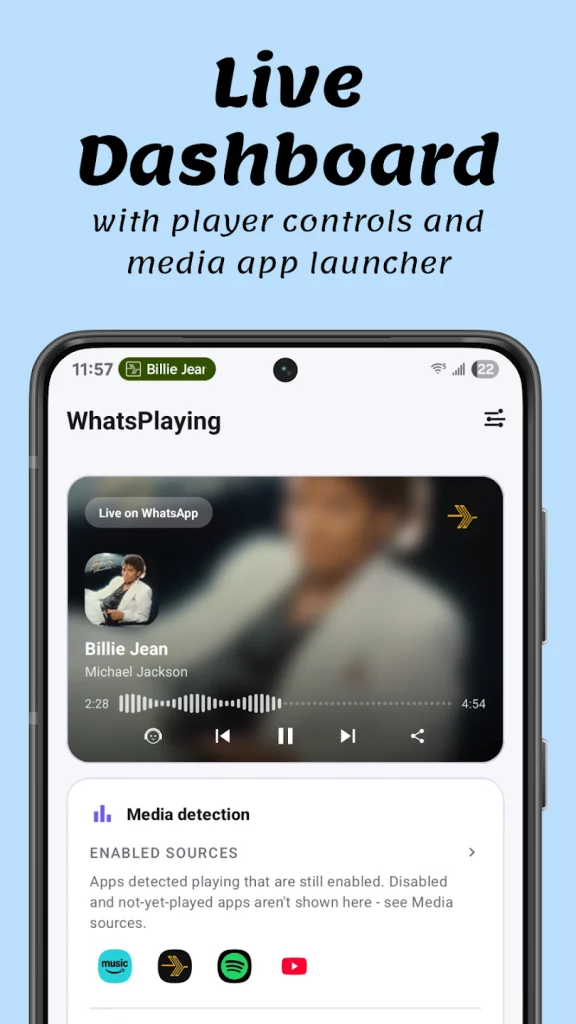
Reactive “Now Playing” Dashboard: Inside the app, you get a clean, polished dashboard featuring full album art, dynamic accent themes sampled from the track cover, and on-screen playback controls (play, pause, skip, and seek).
Caption: In-app dynamic Now Playing dashboard and granular source app controls.
Direct Image Card Sharing: Want to share a specific track directly into a chat? The app can generate a stylized, shareable music card ready to send to any WhatsApp conversation.
Playback Stats: Beyond daily playback updates, WhatsPlaying functions as a lightweight personal scrobbler. The Playback Stats feature summarizes total weekly listen time, track counts, streaks, top played songs, and top artists into a sleek Weekly Rewind card designed specifically to share with friends on chats or social updates
Privacy-First & Completely On-Device: WhatsPlaying doesn’t require account registration, runs zero ads, and embeds no third-party tracking or analytics SDKs. Everything operates locally on your hardware.
Self-Hosted Webhook Relay: For home lab enthusiasts and tinkerers, an optional advanced mode lets you relay playback events to your own self-hosted server or webhook, making it easy to sync your playback with desktop displays or smart-home dashboards.
Ready to Put Your Rotation on Display?
Setting up WhatsPlaying takes less than a minute, no accounts, no setup fees, and zero tracking SDKs eating up your phone’s memory.